
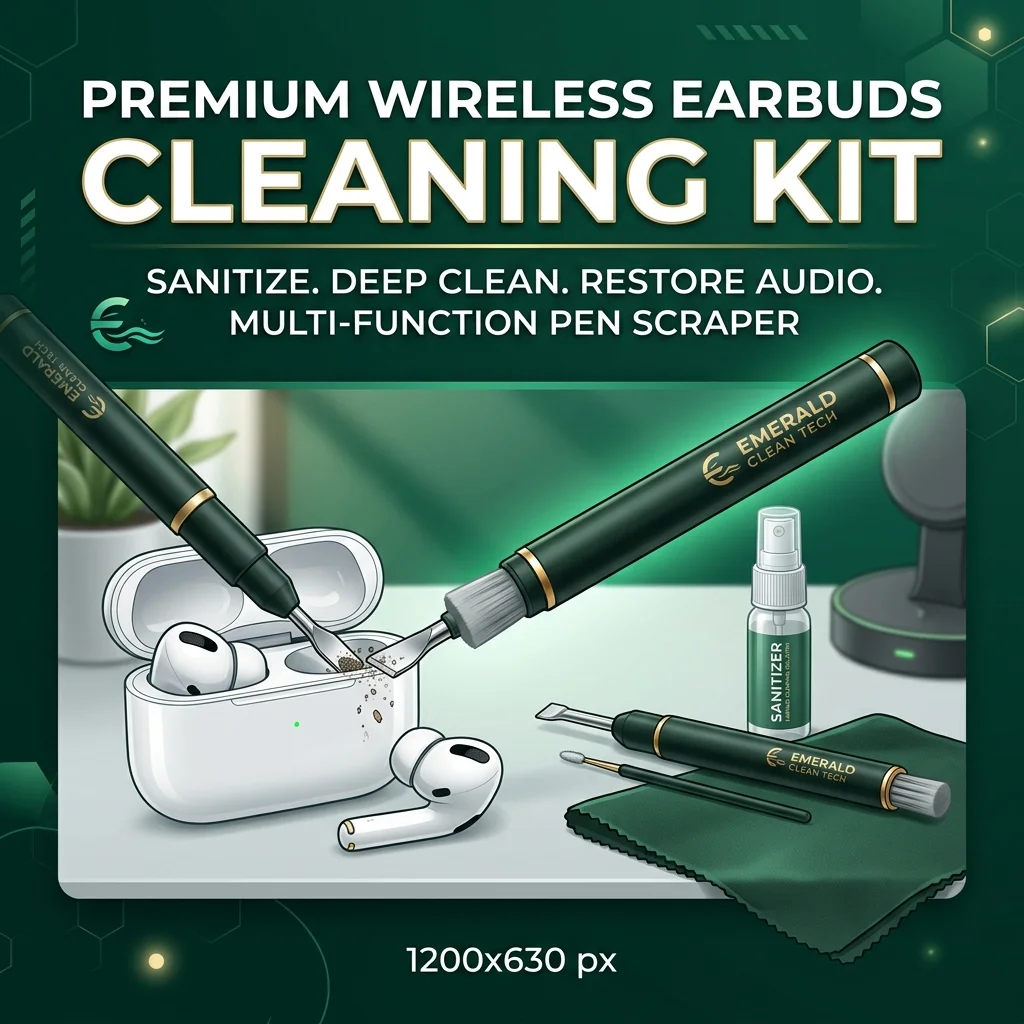
Earwax buildup, dust, and sebum degrade earbud audio driver membranes. Deconstruct acoustic grill physics, non-conductive scraper tools, and isopropyl sanitization.
- Three-in-one design incorporates a metal pen tip, high-density brush, and flocking sponge
- Metal pen tip scrapes out stubborn earwax and dust from tight acoustic grills safely
- High-density fiber brush sweeps away loose particles from acoustic mesh without fiber shedding
Acoustic Physics & Hygiene
Accumulated earwax, sweat, and pocket lint block earbud acoustic meshes, degrading audio clarity and encouraging bacterial growth. Learn the science of non-conductive scrapers, mesh-safe fiber brushes, and safe isopropyl sanitization to clean your tech at home.

1. Acoustic Obstruction: How Earwax (Cerumen) and Debris Muffle Drivers
Wireless earbuds sit directly inside your ear canal, exposing them to warm cerumen (earwax) and sebum. As you move, this oily wax transfers onto the delicate acoustic mesh covering the speaker drivers. This sticky residue acts as a magnet for dust and lint, forming a solid, compacted barrier over time.
This physical blockage dampens sound waves, significantly lowering overall volume and muffling high-frequency clarity. Many users mistakenly assume their earbuds are defective and purchase replacements, unaware that a simple wax build-up is the culprit. Keeping the acoustic path clear is vital for preserving the original audio engineering of your device.
Utilizing a dedicated earbud cleaning pen allows you to scrape out hardened wax from the crevices safely. By clearing the acoustic mesh, you restore full sound wave propagation and recover crisp treble performance. Regular maintenance of these driver barriers extends the life of your premium wireless earbuds.
The accumulation of wax also creates an uneven seal within the ear canal, degrading passive noise isolation. Without a proper seal, external noise leaks in, forcing you to turn up the volume to unsafe levels. Keeping your earbud mesh clean helps maintain optimal sound isolation and protects your hearing.
Over time, the moisture present in earwax can seep through the mesh, leading to internal component corrosion. Once moisture reaches the delicate voice coils and driver membranes, the damage becomes permanent and irreversible. Promptly removing wax deposits prevents liquid migration and safeguards your technology investment.
Investing a few minutes each month in cleaning your earbuds preserves their acoustic responsiveness and resale value. By keeping the mesh clear, you ensure that the sound drivers deliver the precise audio profile intended by the manufacturer. Clean tech is the foundation of high-fidelity listening.
- Earwax buildup is responsible for up to 90% of reported volume drop issues in earbuds.
- Blocked acoustic meshes cause uneven sound balance between left and right earbuds.
2. Charging Port Contamination: Pocket Lint and Connection Failures
When stored in pockets or purses, earbud charging cases are exposed to lint, dust, and micro-debris. This small debris settles deep inside the charging slots, accumulating around the gold-plated contact pins. This non-conductive layer prevents the pins from establishing a clean electrical connection with the earbuds.
Users often experience symptoms like earbuds failing to charge, remaining connected to Bluetooth while in the case, or draining battery. Attempting to clear the pins with metal needles or paperclips can easily bend the contacts or cause short circuits. Using safe, non-conductive tools is essential for maintaining case electronics.
A soft, high-density flocking sponge fits perfectly inside the charging slots, collecting loose lint and dust safely. Cleaning these contact areas ensures stable power transmission, keeping your batteries balanced and ready. Regular case maintenance prevents unexpected connection drops and battery drainage.
Dust buildup inside the USB charging port can also prevent the case itself from receiving power from the cable. This obstruction can cause slow charging speeds or complete power failure, rendering the case useless. Using a small brush to sweep out lint from the input port restores reliable charging.
Additionally, the presence of skin oils on the contact points can cause minor oxidation, which increases electrical resistance. This resistance generates heat during charging, which degrades battery health over time. Keeping the contacts clean protects the internal lithium-ion batteries from premature wear.
Implementing a weekly port audit prevents connection headaches and keeps your charging case functioning like new. By removing hidden pocket debris, you ensure your earbuds charge consistently and connect seamlessly every time. Safe port cleaning is critical for wireless convenience.
- Pocket lint blocks charging pins, preventing clean contact and causing battery drain.
- Soft, cylindrical sponges clean ports safely without scratching delicate electrical contacts.
3. Liquid Safety Dynamics: Isopropyl Alcohol Protocols and Solvent Selection
Sanitizing sensitive electronics with liquid cleaners carries a significant risk of water damage and corrosion. Water has high surface tension, allowing it to pool inside case seams and cause short circuits on internal boards. Furthermore, water is ineffective at dissolving the sticky, oily lipid chains found in earwax.
Medical-grade isopropyl alcohol (70% or 90%) is the ideal solvent for cleaning and sanitizing personal tech. It possesses low surface tension, dissolves oils instantly, and evaporates within seconds without leaving a residue. Always apply the alcohol to a microfiber cloth rather than pouring or spraying it directly on the device.
Avoid using harsh household chemicals like acetone, bleach, or window cleaners, which can melt plastic housings. These solvents can also dissolve the delicate adhesives holding the acoustic mesh in place, causing it to fall out. Sticking to strict isopropyl protocols ensures deep sanitization without risking physical damage.
When sanitizing, pay close attention to the outer housing where sweat and bacteria accumulate from skin contact. Gently wiping these surfaces kills pathogens while preventing liquid from entering the microphone holes or speaker grills. Safe solvent application is the key to maintaining hygienic, functional earbuds.
If liquid accidentally enters the earbud, do not place it in a bowl of rice, as starch dust can clog the mesh. Instead, leave the earbud in a warm, dry room with the speaker mesh facing downward to allow gravity to assist drying. Patient drying protocols are the best defense against accidental liquid entry.
Choosing the correct concentration of isopropyl alcohol balances sanitizing power with material safety. The 70% concentration contains enough water to kill bacteria effectively, while evaporating quickly enough to prevent circuit damage. Using the right solvent keeps your tech clean and safe.
- Isopropyl alcohol evaporates quickly, reducing liquid entry risks compared to water.
- Harsh solvents like acetone melt plastic casings and dissolve delicate speaker glue.
4. Microbiological Risks: Bacterial Colonization and Otitis Externa
The warm, dark, and humid environment of the ear canal creates a perfect micro-climate for bacterial growth. When you wear earbuds, you trap moisture inside the canal, allowing bacteria like Staphylococcus aureus to multiply. Reinserting dirty earbuds can introduce these pathogens directly into the skin, causing infections.
Sharing wireless earbuds with friends or family members increases the risk of cross-contamination and ear infections. This habit transfers foreign bacteria and yeasts, which can trigger painful cases of otitis externa (swimmer's ear). Regular disinfection with isopropyl wipes is a crucial step in maintaining personal health.
In addition, silicone ear tips should be removed from the housing and cleaned separately to ensure hygiene. Soaking the silicone tips in warm, soapy water removes embedded oils and dead skin cells safely. Thoroughly drying the tips before reattaching them prevents moisture from reaching the metal driver housing.
Chronic ear canal irritation can lead to eczema or localized dermatitis, making earbud wear highly uncomfortable. This irritation is often caused by build-up on the earbuds rubbing against the delicate skin of the canal. Keeping your tech clean reduces mechanical friction and protects your skin barrier.
Users who wear earbuds during workouts are at a higher risk of bacterial colonization due to sweat accumulation. Sweat contains salts and proteins that serve as nutrients for microbes, accelerating bacterial growth on the device. Wiping down your workout earbuds immediately after use is essential for ear health.
Prioritizing microbiological hygiene ensures that your daily tech use does not compromise your hearing health. A clean earbud housing prevents painful ear infections and keeps your listening experience comfortable. Protecting your ears requires a combination of personal hygiene and clean tech habits.
- Dirty earbuds harbor bacteria that can cause painful ear canal infections (swimmer's ear).
- Removing and washing silicone tips separately ensures thorough, water-safe cleaning.
5. Tool Selection: Metal Scrapers vs. High-Density Fiber Brushes
Different cleaning challenges require specific tool textures to remove debris without causing mechanical damage. A metal scraper tip is excellent for chiseling away hardened wax from the corners of the plastic housing. However, applying a metal tip directly to the delicate wire mesh can tear the screen, ruining the earbud.
Gentle high-density fiber brushes are designed specifically for cleaning delicate acoustic meshes and microphone ports. The fine, soft bristles sweep away loose particles and wax dust without pushing them through the screen openings. Using the correct brush prevents fiber shedding, which could otherwise clog the acoustic path.
A multi-functional cleaning pen combines these diverse tools into a single, compact body for maximum convenience. This dual-end design allows you to switch between the metal tip, soft brush, and flocking sponge as needed. Having the correct tools prevents accidental damage and ensures a thorough clean.
Avoid using wooden toothpicks or cotton swabs, as they can shed fibers that get trapped in the mesh. Wooden tips can also splinter, leaving sharp debris inside the earbud that can puncture the driver membrane. Investing in professional tech cleaning tools protects your device from user-inflicted damage.
The soft flocking sponge is specifically designed to clean the cylindrical charging ports without scratching the metal contact pins. Standard brushes can bend these delicate pins, causing permanent charging failures. Using the right tool for each part of the earbud maintains overall hardware health.
By selecting high-quality, dedicated maintenance tools, you avoid the risks associated with household cleaning improvisations. A professional cleaning kit is a small investment that prevents expensive repair or replacement costs. Keep your tech safe by using the proper tools for the job.
- Metal tips scrape away stubborn, hardened wax from plastic crevices and corners safely.
- Soft fiber brushes clean acoustic meshes gently, preventing tears and driver damage.
6. Preventive Storage: Managing Case Dust and Daily Wear
Preventing debris from entering your wireless earbuds is far easier than cleaning it out later. Most dust, lint, and grit enter the charging case when it is carried loose in pockets or bags. Storing your case in a protective sleeve or dedicated pocket helps seal out these environmental contaminants.
Clean the lid margins of your charging case weekly, as magnetic closures attract iron-containing dust particles. This dust forms a dark ring around the lid seal, which can transfer to the earbud tips during storage. A quick wipe with a dry cloth prevents this build-up, maintaining case hygiene.
In addition, always keep the case lid closed when the earbuds are in use or when the case is charging. Leaving the case open exposes the interior ports to airborne dust, increasing the risk of charging failures. Simple preventive habits keep your wireless setup clean and reliable.
Avoid exposing your earbud case to environments with high humidity, such as bathrooms, which can degrade internal components. Moisture can condense inside the charging slots, leading to terminal oxidation and battery damage. Storing your tech in a dry, ventilated area preserves battery life.
If you store your earbuds in a gym bag, ensure they are placed in a zippered compartment away from sweaty clothes. The humidity and bacteria from workout gear can easily migrate into the case, causing mold and bad odors. Clean storage habits are essential for maintaining active tech.
Establishing a clean, consistent storage routine protects your earbuds from daily wear and tear. By preventing dust accumulation, you ensure your device is always clean and ready for your next listening session. Preventive care is the first line of defense for your electronics.
- Clean the case lid margin weekly to prevent dust transfer to the earbud tips.
- Keeping the lid closed prevents airborne dust accumulation inside deep charging slots.
7. The Definitive Buying Guide and Selection Parameters
When shopping for an earbud cleaning kit, you must evaluate brush density, scraper design, and sponge softness. Choose a kit that incorporates all three essential tools in a compact, portable pen body. Ensure the brush bristles are made from non-shedding synthetic fibers to protect the mesh.
Check the tip design of the metal scraper; it should be slightly rounded to prevent scratching or gouging plastic housings. The flocking sponge should be durable and sized to fit standard earbud charging slots without shedding lint. A well-designed tool kit makes tech maintenance fast and safe.
Evaluate user reviews to confirm that the tools are safe for popular earbud brands like AirPods or Galaxy Buds. Choosing a trusted, tech-focused accessory brand ensures that the tools are engineered with electronics safety in mind. A high-quality kit provides lasting utility and maintains your audio gear.
Consider the portability of the cleaning kit, ensuring it has a protective cap to keep the tools clean. A capped pen design fits easily in your pocket or laptop bag, allowing for quick cleaning on the go. Staying prepared ensures you can clean your earbuds whenever you notice a drop in sound quality.
Some cleaning kits also include anti-static microfiber cloths and mini isopropyl spray bottles for a complete solution. These additions provide excellent value, allowing you to sanitize the outer surfaces of your case and buds easily. Investing in a complete kit simplifies your tech hygiene routine.
Finally, verify the material quality of the pen body, choosing durable plastics that won't crack under pressure. A sturdy tool ensures you can apply the necessary scraping pressure without the pen breaking in your hand. Selecting the right maintenance gear protects your technology investment.
- Select multi-functional designs that incorporate scrapers, brushes, and sponges.
- Ensure bristle materials are non-shedding to prevent blocking acoustic meshes.
8. Silicone and Foam Ear Tip Care: Deep Cleaning and Replacement Cycles
Silicone and memory foam ear tips accumulate skin oils, sweat, and earwax faster than any other part of the earbud. This accumulation degrades the material, causing silicone to become slippery and foam to lose its elasticity. Dirty ear tips cannot create a proper seal, ruining bass response.
Remove the tips from the earbud nozzles before cleaning to prevent liquid from entering the speaker drivers. Wash silicone tips in warm, soapy water, using your fingers to rub away oily residue. For memory foam tips, gently wipe them with a damp cloth, avoiding soaking, which ruins the foam structure.
Allow all ear tips to dry completely for at least two hours before reattaching them to the earbuds. Storing damp tips in a closed charging case traps moisture, leading to bacterial growth and electronic damage. Proper drying is critical for maintaining hygiene and hardware safety.
Over months of daily use, ear tips undergo material fatigue and structural breakdown. Silicone tips can stretch and tear, while memory foam tips harden and lose their slow-rebound properties. Inspecting your tips regularly helps you identify when it is time to replace them.
Replacing your ear tips every three to six months is a clinical recommendation for maintaining comfort and audio quality. Worn-out tips can slip off the nozzle and get stuck in your ear canal, requiring medical removal. Keeping fresh tips on your earbuds ensures a secure, comfortable fit.
Additionally, custom replacement tips, such as double-flange silicone or premium foam, can improve noise isolation. Experimenting with different tip materials allows you to find the perfect fit for your ear anatomy. Proper tip care and timely replacement protect your ears and ears' health.
- Clean and wash silicone ear tips separately to prevent moisture from damaging speaker drivers.
- Replace worn ear tips every three to six months to maintain comfort, hygiene, and sound isolation.
9. Environmental Tech Maintenance and Longevity Best Practices
Operating wireless earbuds in extreme environmental conditions can accelerate debris build-up and component wear. High temperatures can soften earwax, causing it to flow deeper into the acoustic mesh before hardening. Extreme cold can make plastic housings brittle, increasing the risk of structural damage.
Avoid wearing earbuds in heavy rain or dusty environments, even if they have a high water-resistance rating. Water-resistance seals can degrade over time, allowing moisture and dust to enter the housing. Clean tech maintenance includes protecting your earbuds from environmental stress.
Clean your hands before handling your earbuds to prevent transferring grease, lotion, or dirt to the device. This simple habit keeps the outer housing clean and reduces the frequency of deep cleaning sessions. Clean hands are the first step in maintaining clean tech.
Conduct a monthly inspection of the microphone ports, which are often overlooked during routine cleaning. Clogged microphones reduce call quality and affect active noise cancellation performance. Using a dry, soft brush to sweep out these small holes keeps your mic clear.
Furthermore, avoid leaving your charging case in direct sunlight, which can overheat the lithium-ion batteries. Overheating shortens battery life and can cause swelling, ruining the case casing. Proper storage in a shaded, cool environment preserves battery longevity.
By combining environmental awareness with regular cleaning, you maximize the lifespan of your wireless earbuds. Keeping your tech clean and protected ensures it delivers high-performance audio for years. Prioritizing tech longevity is both cost-effective and environmentally friendly.
- Conduct a monthly inspection of the microphone ports to sweep out loose dust and maintain clear call quality.
- Avoid exposing your charging case to direct sunlight to protect internal lithium-ion batteries from swelling.
Clinical Recommendation & Audit
Restore your audio driver performance and sanitize your daily earbuds safely. Check out our recommended solution below to experience clinical-grade tech maintenance.
Hagibis Cleaning Pen for AirPods and Wireless Earbuds - Multi-Function Kit
- Three-in-one design incorporates a metal pen tip, high-density brush, and flocking sponge
- Metal pen tip scrapes out stubborn earwax and dust from tight acoustic grills safely
- High-density fiber brush sweeps away loose particles from acoustic mesh without fiber shedding
- Soft flocking sponge cleans the charging case ports, removing hidden lint and debris
Technical Specifications & Product Data
| Specification | Value / Details |
|---|---|
| Brand | Hagibis |
| List Price | $8.99 (USD) |
| Customer Rating | 4.5 / 5.0 (18,520 reviews) |
| ASIN / Identifier | B099K1DYXY |
| Availability | In Stock (USA Region) |
| Outbound Link Compliance | Sponsored & Nofollow Enforced |
Verified Features & Performance Data
- ✓Three-in-one design incorporates a metal pen tip, high-density brush, and flocking sponge
- ✓Metal pen tip scrapes out stubborn earwax and dust from tight acoustic grills safely
- ✓High-density fiber brush sweeps away loose particles from acoustic mesh without fiber shedding
- ✓Soft flocking sponge cleans the charging case ports, removing hidden lint and debris
System Sovereignty & Engineering
Edge Computing
100% Client-side processing. Your data never leaves your browser sandbox, ensuring absolute compliance with US privacy mandates.
Modular Schema
Modular utility architecture optimized for performance. Low-latency WASM kernels provide near-native speeds for complex transformations.
Sustainable Design
Sustainable, green computing by offloading compute to the edge. Verified zero-server storage (ZSS) for professional-grade security.